Tuno Audio Video Noise Reducer
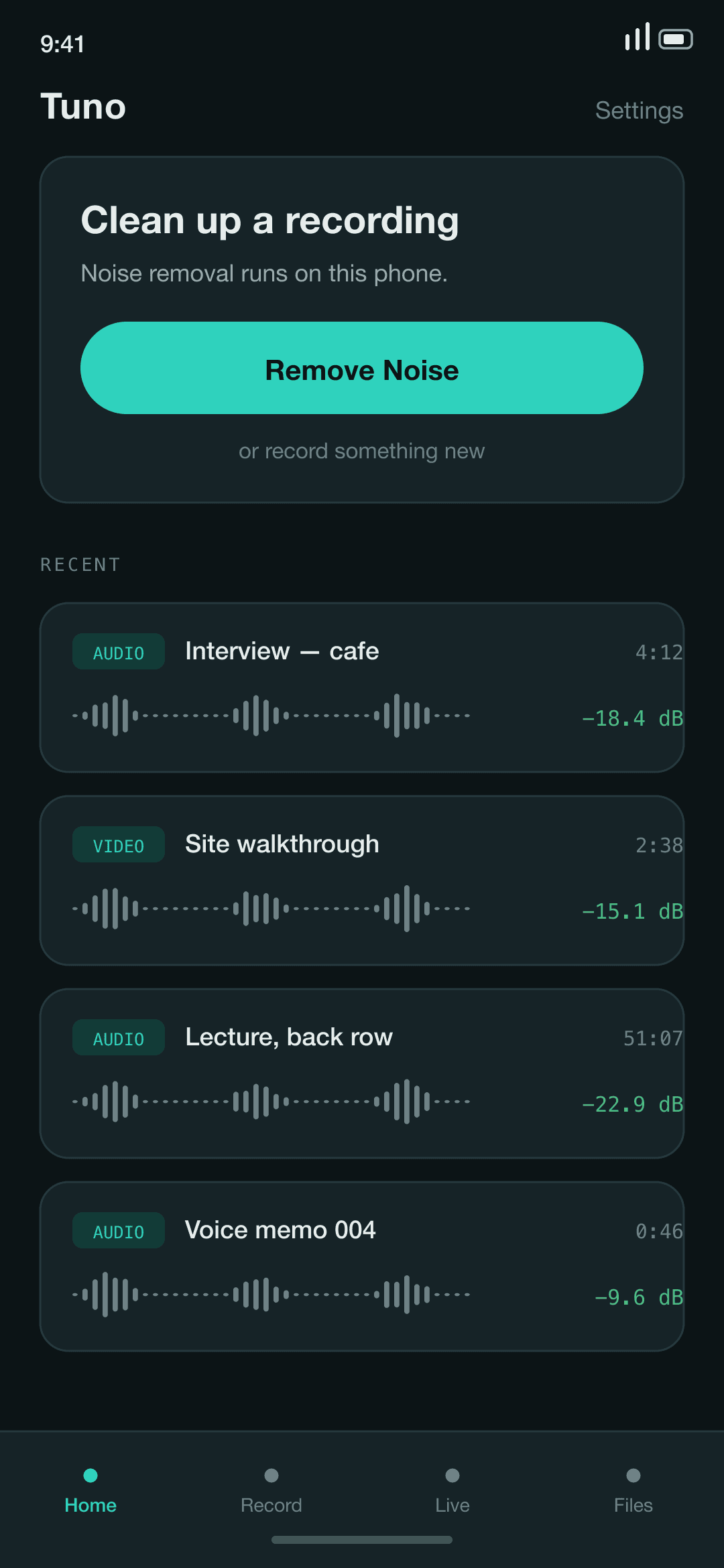
Clean up a noisy recording in seconds, without it leaving your phone.
Opens your mail app with the message ready. We reply within 2 business days, and email you once when it ships — nothing else, and never shared.
- Platform
- Android 9+ · iOS 17+
- Processing
- On device
- Output
- 48 kHz, no watermark
- Account
- None
The problem
The recording worth rescuing is almost always the one you cannot make again — the interview in a cafe, the lecture two rows from an air conditioner, the speech at a wedding. The noise happened once, and it is in the file for good.
The tools that fix it are either desktop software with a mixing-desk learning curve, or a website you upload to. Uploading means handing a private conversation to someone else's server, waiting in a queue, and taking it on trust that the file is deleted afterwards.
What it does
Built around six things.
A strength dial, not a one-shot render
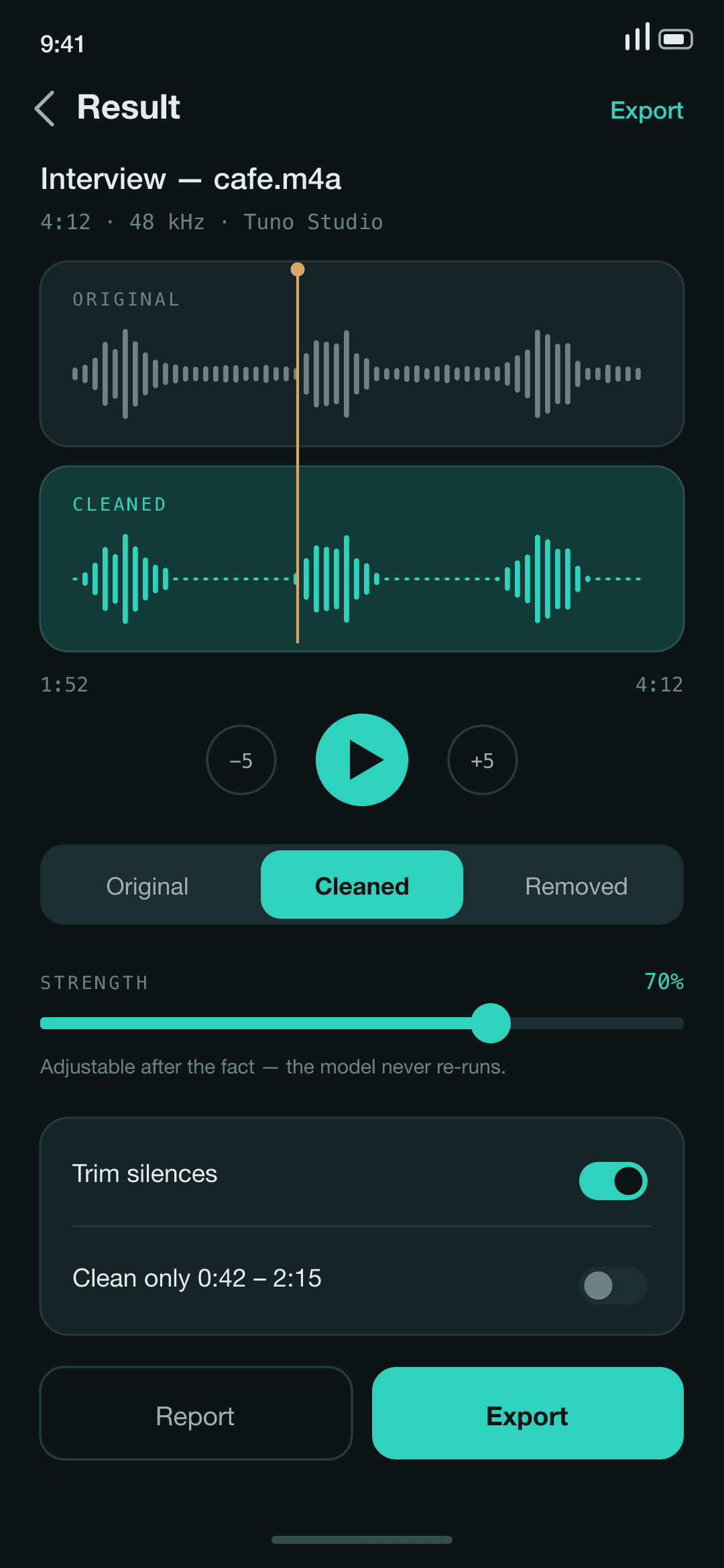
Blend between the original and the cleaned version after processing has finished. The model never re-runs, so the slider responds instantly and you can stop at the point where the voice still sounds like the person.
Hear exactly what was removed
Flip between Original, Cleaned, and Removed. That third one plays only what was taken out, which is the fastest way to catch a setting that is eating breaths, room tone, or the ends of words.
Video without touching the picture
Cleans a video's audio track and remuxes it. The video stream is copied through untouched — no re-encode, no generation loss, and it finishes in a fraction of the time a full export would take.
A report with real numbers in it
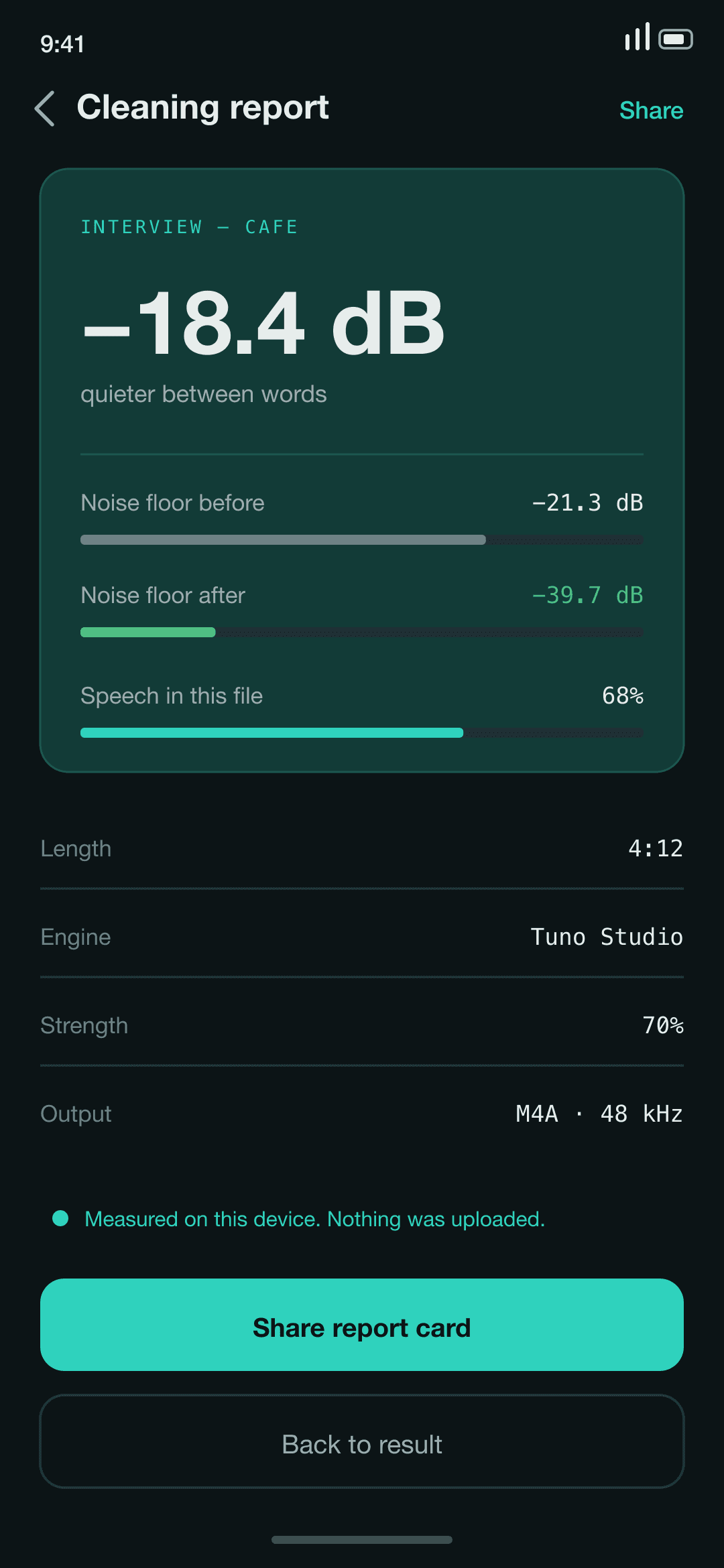
Measured noise-floor reduction in dB, and how much of the file is actually speech, recorded per job. Whether it helped is a measurement rather than an impression.
Recorder and live monitor
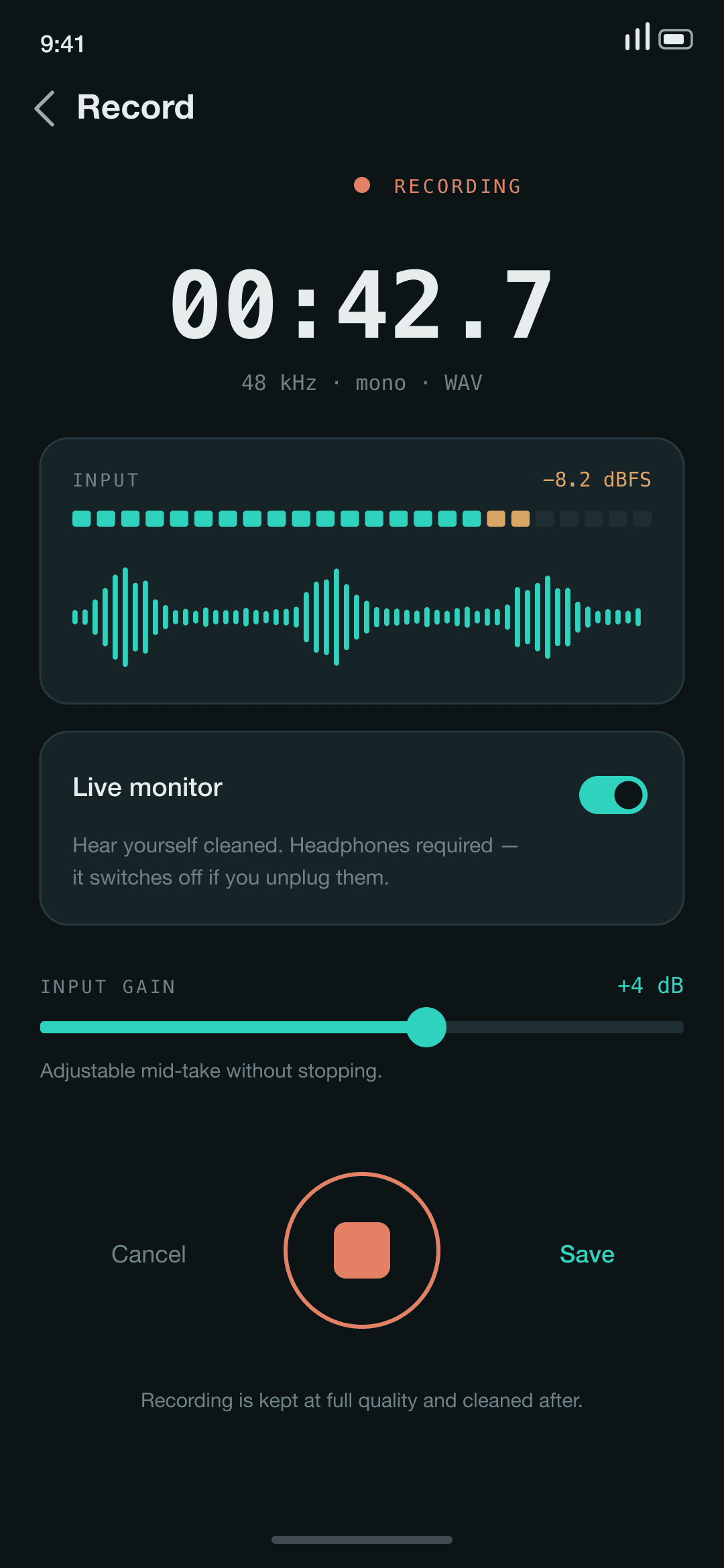
Record at 48 kHz in the app, or route the microphone through the engine and hear yourself cleaned through headphones before committing to a take.
Selective cleaning and silence trim
Denoise only a time range you choose, and cut long silent stretches with one switch. Both are applied when the file is rendered, so they stay adjustable and cost nothing to undo.
How it works
Where the processing happens.
Tuno does the whole job on your phone. Nothing you record or open is uploaded anywhere — there is no server behind the app, no account to create, and no copy of your files on someone else's computer. The parts that touch your audio are compiled without any networking code at all, so that code physically cannot send a recording anywhere. The free version shows ads, and that is the one place anything about your device leaves it.
01
The model runs on your phone
Neural noise suppression executes locally — RNNoise and DPDFNet on Android, DeepFilterNet3 through Core ML on iOS. There is no queue and no server, and processing works in airplane mode.
02
The audio path has no network code
The modules that hold your audio have no networking dependency compiled into them. It is not that we promise the recording stays put; there is no code path by which it could be sent.
03
Nothing syncs to a cloud
Your file list, settings and processed audio sit in the app's private storage and are excluded from automatic cloud backup. There is no account to sign into.
Screens
Tuno Audio Video Noise Reducer, in use.
Questions
Straight answers.
Is my audio uploaded for processing?
No. The noise suppression model runs on your phone's own processor. Put the phone in airplane mode and the app behaves identically — that is the simplest way to check the claim rather than take it on faith.
Does the app use the internet at all?
Yes, and the distinction matters. The free version shows ads, which need a connection, and the upgrade screen contacts the store to load prices. Your recordings take no part in either. The parts of the app that hold audio contain no networking code, so nothing that does reach the network is able to read them.
Are there ads?
In the free version, yes — a banner on the main screens and one interstitial when you save a file. The paid upgrade removes them. Nothing about your recordings is used to choose an ad: the ad SDK never receives your audio, your file names, or your history.
What can it open, and what does it produce?
WAV, M4A/AAC and MP3 going in, plus video files for the audio-track path. Output is WAV, M4A or MP4 at 48 kHz. Nothing you export carries a watermark.
Will it clean up music or ambience?
It is built for voices and it is honest about that. On music or room tone the models treat a good deal of what you want to keep as noise, so reach for the strength dial instead of running at full. The app warns you when a file has very little speech in it.
Can I choose the model?
On Android, yes — a fast, battery-friendly engine and a slower, higher-quality one, switchable in Settings at any time. iOS ships a single engine tuned for the same job. Either way the trade is processing time against how much gets removed.
Tuno Audio Video Noise Reducer isn't out yet.
Leave your address and we'll email you once — the day it lands on the store.
Opens your mail app with the message ready. We reply within 2 business days, and email you once when it ships — nothing else, and never shared.