Translator
Translate on the move, signal or not.
Opens your mail app with the message ready. We reply within 2 business days, and email you once when it ships — nothing else, and never shared.
- Platform
- Android 7.0+
- Offline
- Via language packs
- Account
- None
- Ads
- None
The problem
Translation apps are most needed exactly where connectivity is worst — arriving in a new country, underground, or roaming with data switched off to avoid charges.
Cloud-first translators degrade to useless in those moments, which is when you are standing in front of a sign you cannot read.
What it does
Built around four things.
Download the languages you need
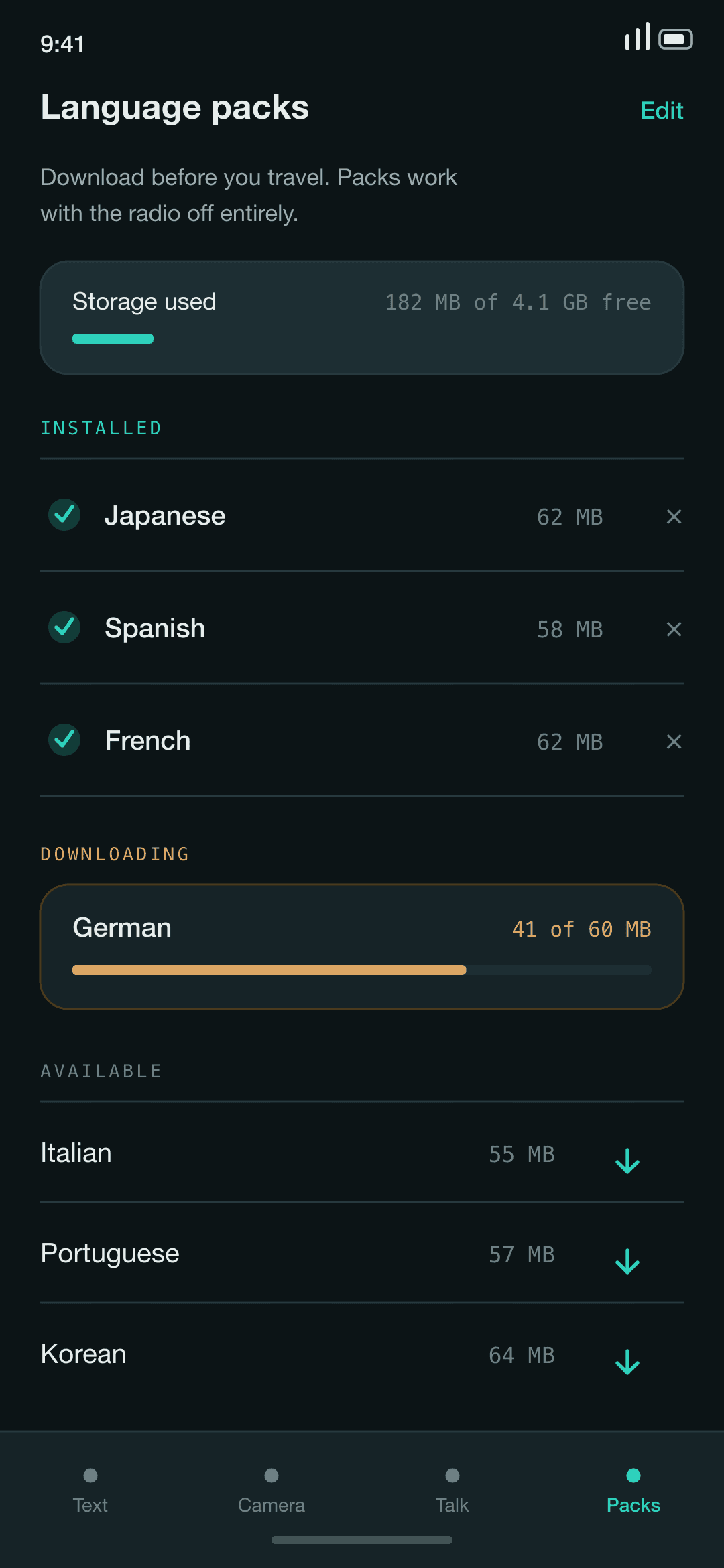
Pull a language pack over Wi-Fi before you travel and translate with the radio off entirely.
Point the camera at text
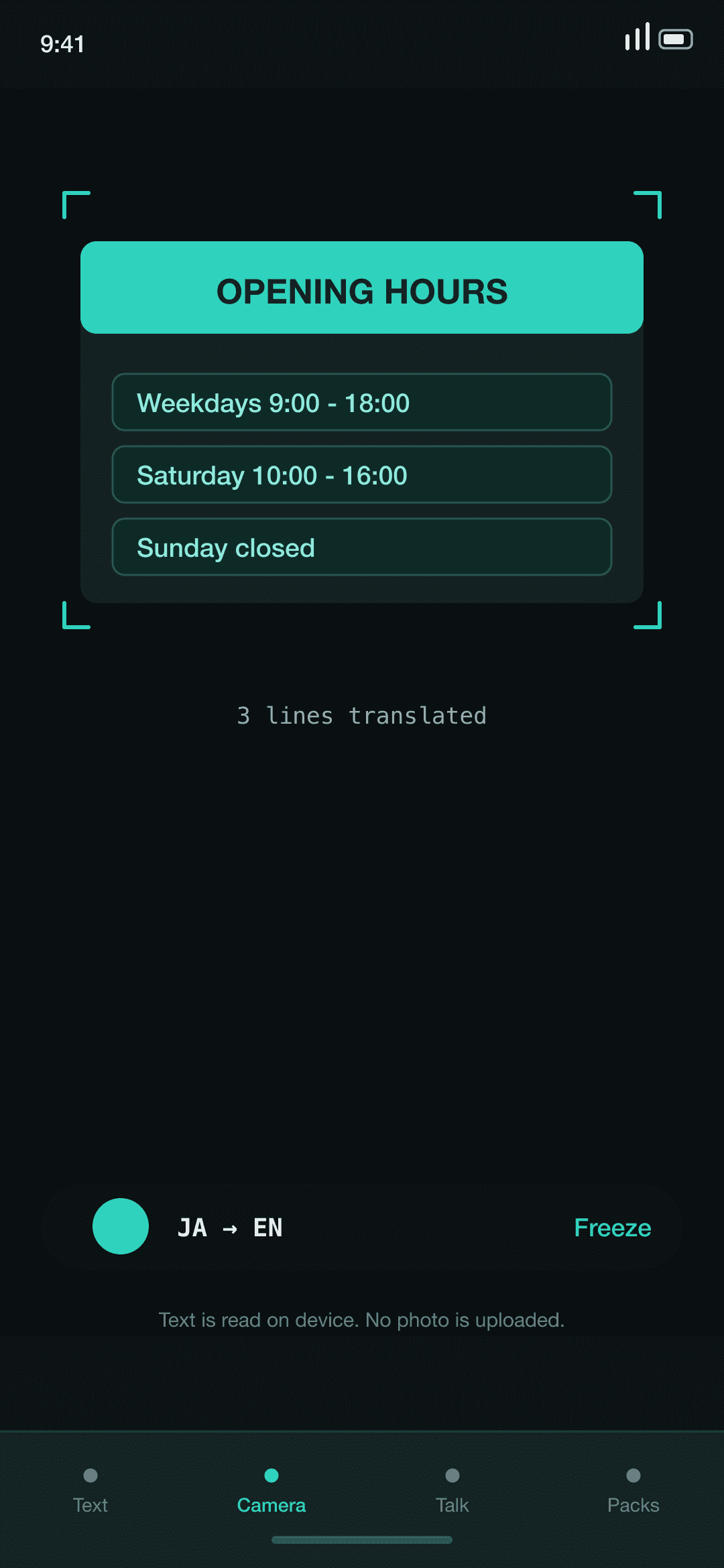
Signs, menus, and labels translated in place, which is most of what travel translation actually is.
Conversation mode
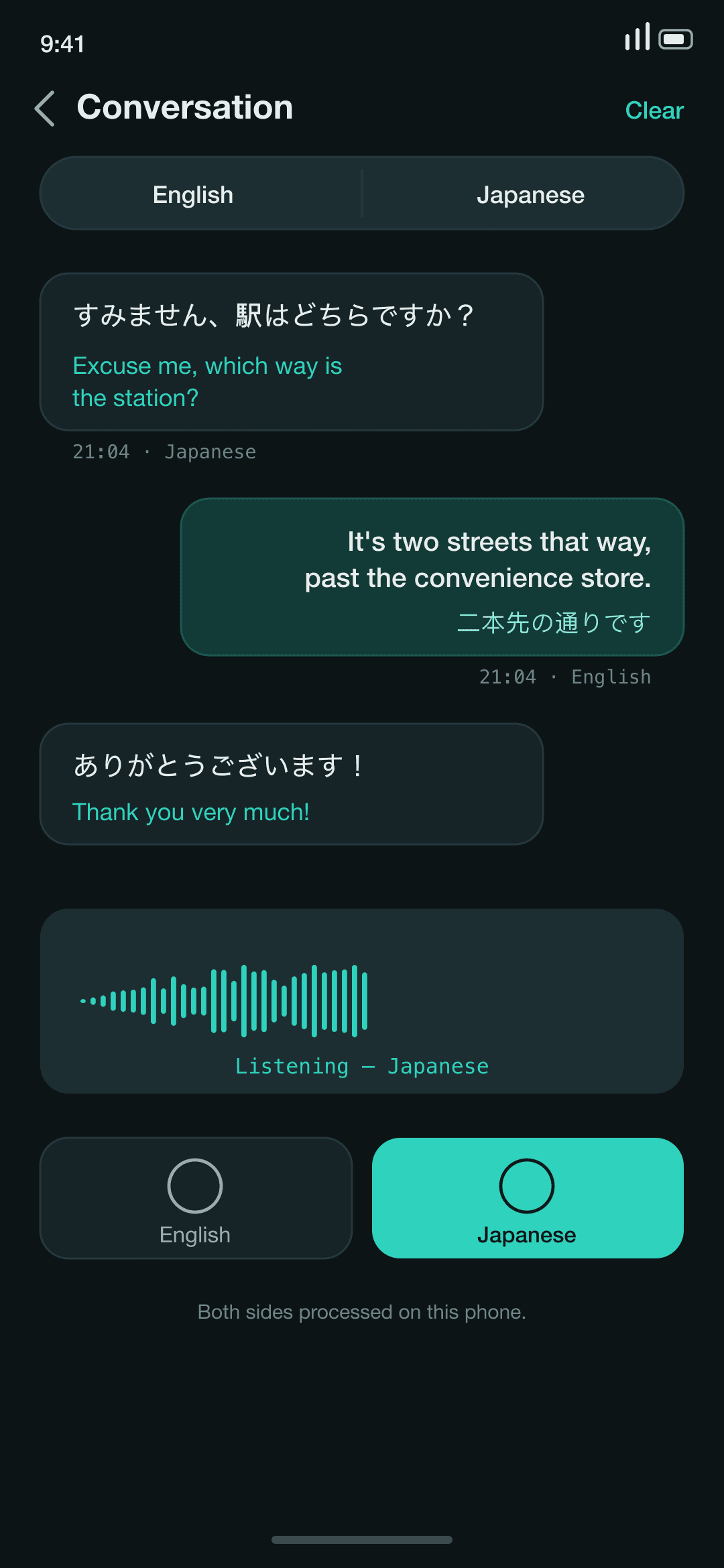
Two languages, one screen, taking turns — for the exchanges that are faster spoken than typed.
Keeps what you looked up
A history you can search, so the phrase you needed yesterday is still there today.
How it works
Where the processing happens.
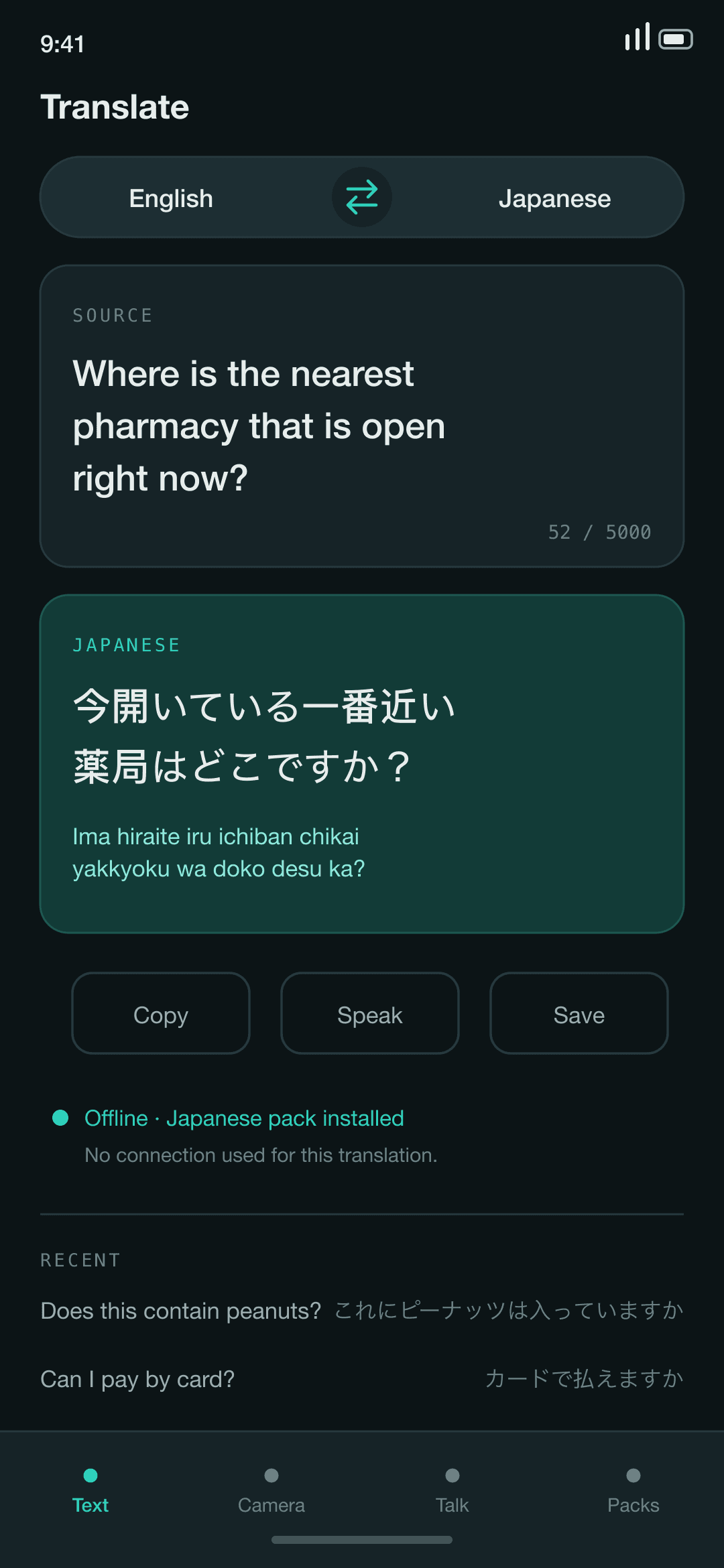
Translation runs against language packs stored on your phone. Your translation history stays on the device and is not uploaded.
01
Translation runs from local packs
Once a language pack is downloaded, translation happens on the device with no network call per phrase.
02
Camera text is read on device
Text recognition runs locally. Photographed text is not uploaded.
03
Your history is local
What you translated stays on your phone. There is no account and no sync.
Screens
Translator, in use.
Questions
Straight answers.
Does it work with no signal?
Yes, for any language pack you have downloaded. Downloading the packs themselves needs a connection.
How much space does a language pack take?
Tens of megabytes each. You can remove packs you are done with without reinstalling the app.
Is offline translation as good as online?
For everyday text, signs, and menus it is close. For long or specialised passages a large cloud model still does better, and we would rather say so than pretend.
Are my translations uploaded?
No. Translation happens against the local pack and your history stays on the device.
Which languages are supported?
The list is still being finalised and will be published here before launch.
Translator isn't out yet.
Leave your address and we'll email you once — the day it lands on the store.
Opens your mail app with the message ready. We reply within 2 business days, and email you once when it ships — nothing else, and never shared.